v0.4.0 · LIVE PANEL · 18 AUG 2026

Your VPS. Your panel.
Start free.

You install csWebPanel on your own VPS or VDS. Sites, mail, DNS, files — one panel that looks like a real host. Dark and light. English and Português.

Your machine. Your brand. Standard is free.
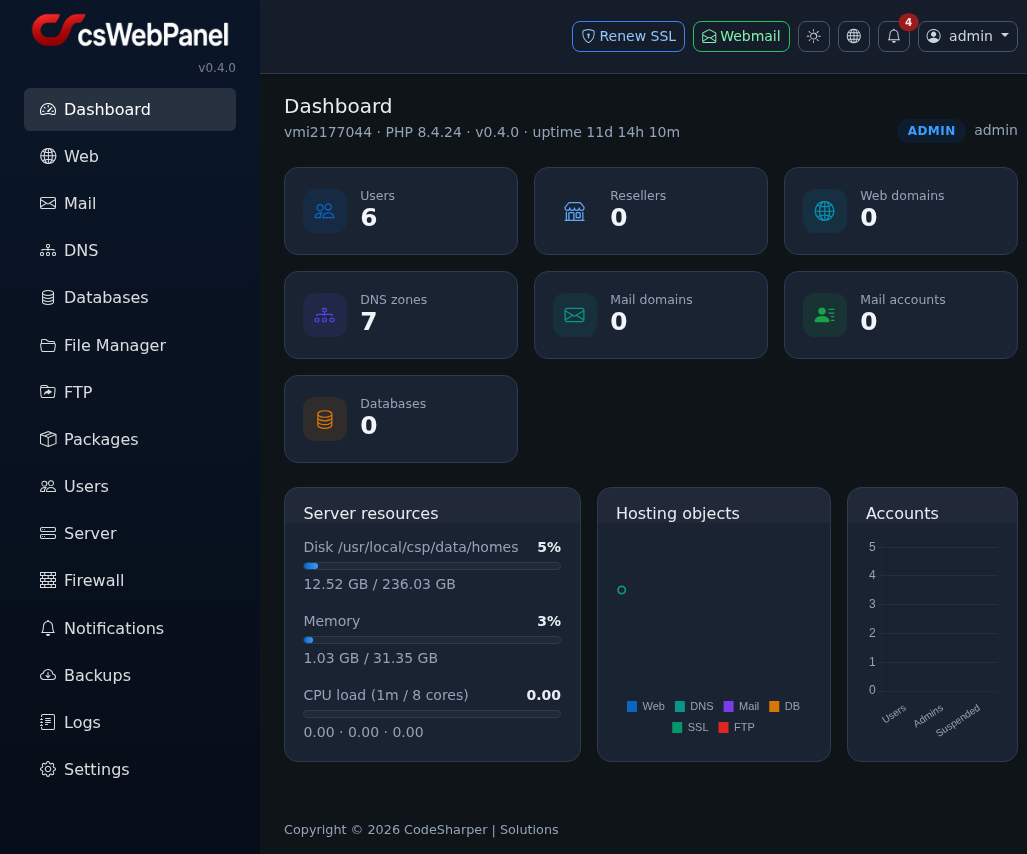
csWebPanel admin dashboard, v0.4.0

Admin dashboard · v0.4.0 · live panel, 18 August 2026

WHAT IT IS

Own the stack.
Look like a hoster.

You already pay for a VPS or VDS. Stop renting someone else’s panel. Put csWebPanel on that machine and the sites, mail and DNS sit under your name — the same feeling as a real host, without a cPanel invoice.
Your VPS, your panel
You install it. You keep the keys.
Start free
Standard: 3 domains, unlimited mailboxes
Web, mail, DNS
The three things a hoster actually sells
Backups you own
Disk, S3, Drive — destinations stay in your account
csWebPanel
CodeSharper | Solutions
Official publisher · 2026
Portuguese and European software. Dark and light themes, English and Português, from the live panel on 18 August 2026. Version 0.4.0.
Install on your VPS or VDS · Start free
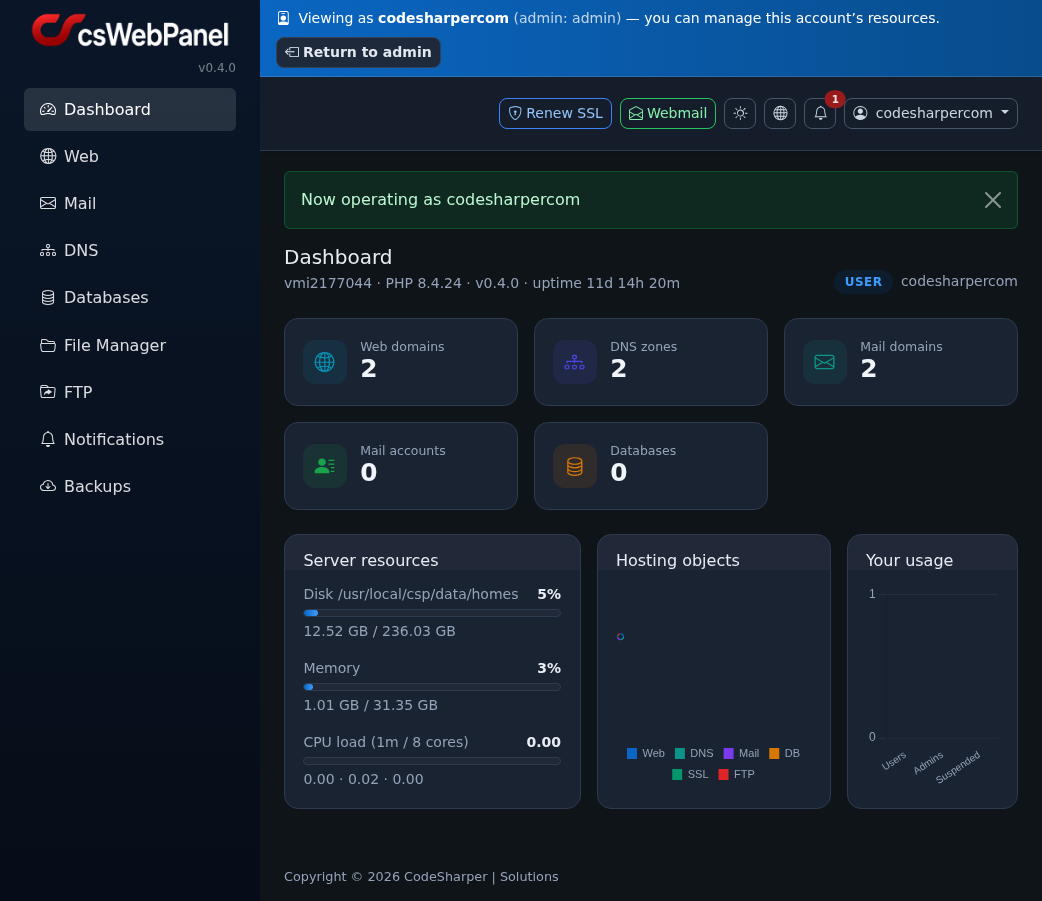
csWebPanel user dashboard
User dashboard — sites, mail, DNS and usage at a glance
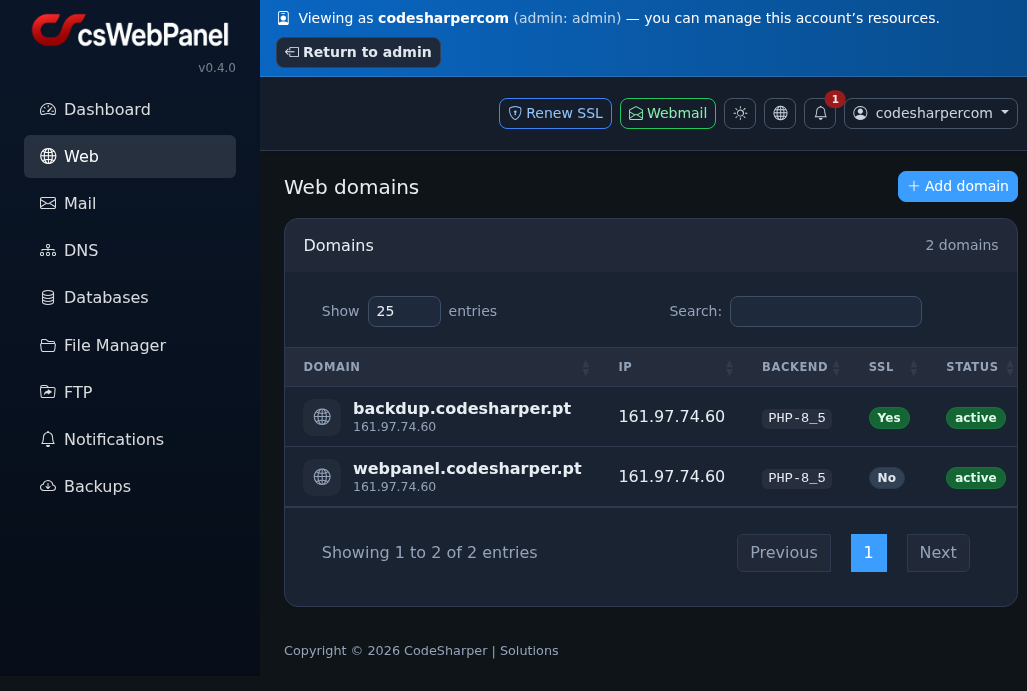
csWebPanel web domains
Web domains — PHP backend, Let’s Encrypt SSL, status
WHY IT MATTERS

The kit a hoster
actually needs.

Real modules from v0.4.0. Not a feature dump — the reasons people stop renting a panel.

Web + Let’s Encrypt

Add a site, pick PHP, issue the certificate when the A record already points here. Visitors see HTTPS. You look finished.

PUBLIC_HTML · LET’S ENCRYPT

Unlimited mailboxes

Standard already includes unlimited emails. Your domain, your addresses — no per-mailbox tax. Webmail from the header, or webmail.panel.codesharper.pt.

UNLIMITED ON STANDARD · WEBMAIL

DNS that lands mail

Zones travel with the site. A, CNAME, MX, TXT, plus SPF, DKIM and DMARC — so the mailboxes you just created actually arrive.

SPF · DKIM · DMARC

Databases

Create the database and its first user, then open phpMyAdmin from the same page. The stack a CMS expects.

CREATE · PHPMYADMIN

Files in the panel

Upload inside the site folder — then into public_html. No extra client if you do not want one.

SITE FOLDER · PUBLIC_HTML

FTP when you need it

Pure-FTPd — plain FTP, not SFTP. Scope a login to the home, or to one domain’s public_html. Passive mode.

PLAIN FTP · PASSIVE

Backups to S3 or Drive

Storage first (Disk, SFTP, S3, B2 or Google Drive), then a source, then backup and restore. Destinations you add stay in your account.

DISK · SFTP · S3 · B2 · DRIVE

Admin toolkit

Packages, users, Access as user, firewall, logs and branding — the kit if you sell hosting or run a team. That is Professional.

SUB-USERS · PACKAGES · ACCESS AS USER

2FA on the profile

Two-factor authentication lives on the profile. Enable it there before you change the password.

PROFILE · SET UP 2FA
THREE STEPS

How it works in practice

Install on your machine, add a domain, publish. The same order every time.

01

Install on your VPS or VDS

You put csWebPanel on the machine you already pay for. Your server. Your panel.

02

Add a domain

Web → Add domain. Name, PHP version, optional Let’s Encrypt (the A record must already point here).

03

Publish to public_html + SSL

Put files in that site’s public_html — file manager or FTP — and issue the certificate.

Your VPS · public_html · Let’s Encrypt
User manual (PDF)
EDITIONS

Standard vs Professional

Start free on your own VPS. Step up when you sell hosting or run a team.

Most people start here

Standard

Your own VPS or VDS. You are the only account. Three domains. Unlimited mailboxes.

Free
No subscription. Install it yourself.
Price
Free
Sub-users
No
Domains
3
Emails
Unlimited
Install on own VPS / VDS
Yes
Admin tools
Start free
For hosters and teams

Professional

For people who sell hosting or run a team — sub-users, more than 3 domains, packages, Access as user, the admin toolkit.

Professional
Ask us — open the panel or get in touch.
Price
Talk to us
Sub-users
Yes
Domains
More than 3
Emails
Unlimited
Install on own VPS / VDS
Yes
Admin tools
Packages, Access as user, toolkit

Each person installs Standard on their own machine. Professional is the edition when several accounts live under one panel.

WHY THIS PANEL

The feeling you are buying

Your machine

A VPS or VDS you already pay for. The panel lives there. Nobody else rents you the keys.

Start free

Standard is free: no sub-users, 3 domains, unlimited emails. Enough to look like a hoster today.

English and Português

Switch language in the header. Dark and light in the same place. Built for both from the start.

Grow into Pro

Sell hosting or run a team? Sub-users, more domains, packages, Access as user. Talk to us.

NEXT STEP

Open the panel. Or read the book first.

Install it on your VPS. Two manuals — admin and user — from the live panel on 18 August 2026.

Webmail: webmail.panel.codesharper.pt

CodeSharper | Solutions · codesharper.pt